
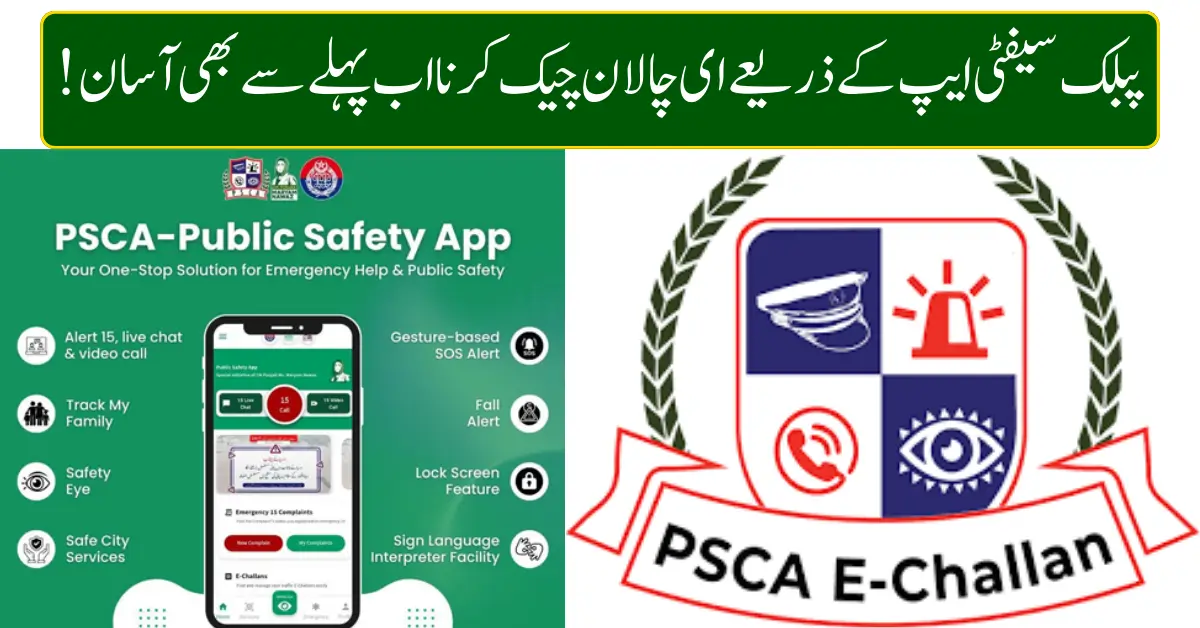
With the rapid expansion of digital traffic monitoring across Pakistan, checking traffic fines has become easier than ever. In 2026, the Public Safety App has emerged as the most reliable and user-friendly way to check e-Challan status online without visiting traffic police offices or waiting in long queues.
Whether you are driving a car, motorcycle, or commercial vehicle, staying updated on your traffic challans is essential to avoid penalties, license issues, or vehicle registration problems. This guide explains how to check e-Challan easily via the Public Safety App, its benefits, payment options, and common issues—using the latest system updates.
What Is an E-Challan and Why Does It Matter in 2026
An e-Challan is a digital traffic fine issued for violations such as speeding, signal breaking, illegal parking, or lane violations. These challans are generated through Safe City cameras, traffic surveillance systems, and on-ground enforcement devices.
In 2026, traffic departments across major cities rely heavily on automated enforcement, making it more important than ever for vehicle owners to regularly check their challan status.
Ignoring an e-Challan can lead to:
- Increased fine amounts
- Vehicle registration blockage
- Driving license suspension
- Legal notices or summons
What Is the Public Safety App
The Public Safety App is an official government-backed mobile application designed to provide citizens with quick access to safety-related services. One of its most widely used features is e-Challan verification and tracking.
Through this app, users can:
- Check traffic challans instantly
- View violation details with date and location
- Track unpaid and paid challans
- Access safety alerts and emergency services
The app is available for both Android and iOS devices and works across multiple provinces.
How to Check E-Challan via Public Safety App (Step-by-Step Guide)
Checking your challan through the Public Safety App is simple and takes less than two minutes.
Step 1: Install the Public Safety App
Download the official Public Safety App from your mobile app store.
Step 2: Open the App
Launch the app and allow basic permissions for smooth access.
Step 3: Select E-Challan Service
From the main dashboard, tap on Traffic E-Challan or Vehicle Verification.
Step 4: Enter Vehicle Details
You can check challans using:
- Vehicle registration number
- CNIC (in some regions)
- Driving license number
Step 5: View Challan Status
The app will display:
- Violation type
- Challan amount
- Issue date
- Payment status
If no record appears, it means there is no pending challan.
Information Shown in an E-Challan Record
| Detail Type | Information Displayed |
|---|---|
| Vehicle Number | Registered vehicle plate |
| Violation | Speeding, signal break, parking |
| Date & Time | When violation occurred |
| Location | Camera or area name |
| Fine Amount | Payable challan amount |
| Status | Paid or unpaid |
This transparency helps drivers understand violations clearly and avoid repeat mistakes.
Benefits of Using the Public Safety App for E-Challan Check
The Public Safety App offers several advantages over traditional methods.
Key Benefits
- No need to visit traffic police offices
- Instant challan verification
- Accurate, real-time data
- Easy access from anywhere
- Reduces the chances of fake challans
- Helps maintain a clean driving record
For daily commuters and commercial drivers, this app saves time and prevents last-minute complications.
How to Pay E-Challan After Checking
Once you confirm a challan, payment can be made through multiple official channels.
Available Payment Methods
- Online banking apps
- ATM transfers
- Partner bank branches
- Designated traffic police counters
Always keep the payment receipt or digital confirmation for record purposes.
Common Reasons for E-Challan Issuance
Understanding violations can help drivers avoid future fines.
Common reasons include:
- Over-speeding detected by Safe City cameras
- Crossing red traffic signals
- Illegal U-turns
- Parking in restricted zones
- Lane violations
- Helmet or seatbelt non-compliance
Regularly checking challans helps drivers stay informed and cautious.
What to Do If You Think an E-Challan Is Incorrect
In some cases, drivers may believe a challan was issued incorrectly.
Recommended Actions
- Review violation details carefully
- Compare the date and location with your travel record
- Visit the nearest traffic police office
- Submit an objection with supporting evidence
Traffic authorities review disputed challans and correct records if errors are confirmed.
Who Should Regularly Check E-Challan Status
Checking challans is especially important for:
- Daily commuters
- Ride-hailing drivers
- Commercial transport operators
- Vehicle owners planning to sell or transfer vehicles
- Drivers renewing licenses or registration
A clean challan record ensures smoother administrative processes.
Public Safety App vs Traditional Challan Checking
| Method | Speed | Convenience | Accuracy |
|---|---|---|---|
| Public Safety App | Very Fast | High | Real-time |
| Office Visit | Slow | Low | Manual |
| SMS Services | Medium | Limited | Basic |
The app clearly stands out as the most efficient option in 2026.
Guidelines to Avoid E-Challan in the Future
Following basic traffic rules can help prevent fines:
- Always follow speed limits
- Stop fully at red signals
- Park only in designated areas
- Wear a helmet and a seatbelt
- Keep vehicle documents updated
- Follow lane discipline
Safe driving not only avoids challans but also protects lives.
Final Thoughts
The Public Safety App has transformed the way drivers in Pakistan check and manage e-Challan records. In 2026, with increased digital enforcement and automated traffic monitoring, regularly checking your challan status is no longer optional—it’s essential.
By using the app, drivers can stay informed, pay fines on time, avoid penalties, and maintain a clean driving history. If you own or drive a vehicle, make it a habit to check your e-Challan through the Public Safety App and enjoy stress-free driving.